Easy Asset Maker
A small 3D modeling and painting app for low-poly game assets. Model, paint, export. That is the whole tool.
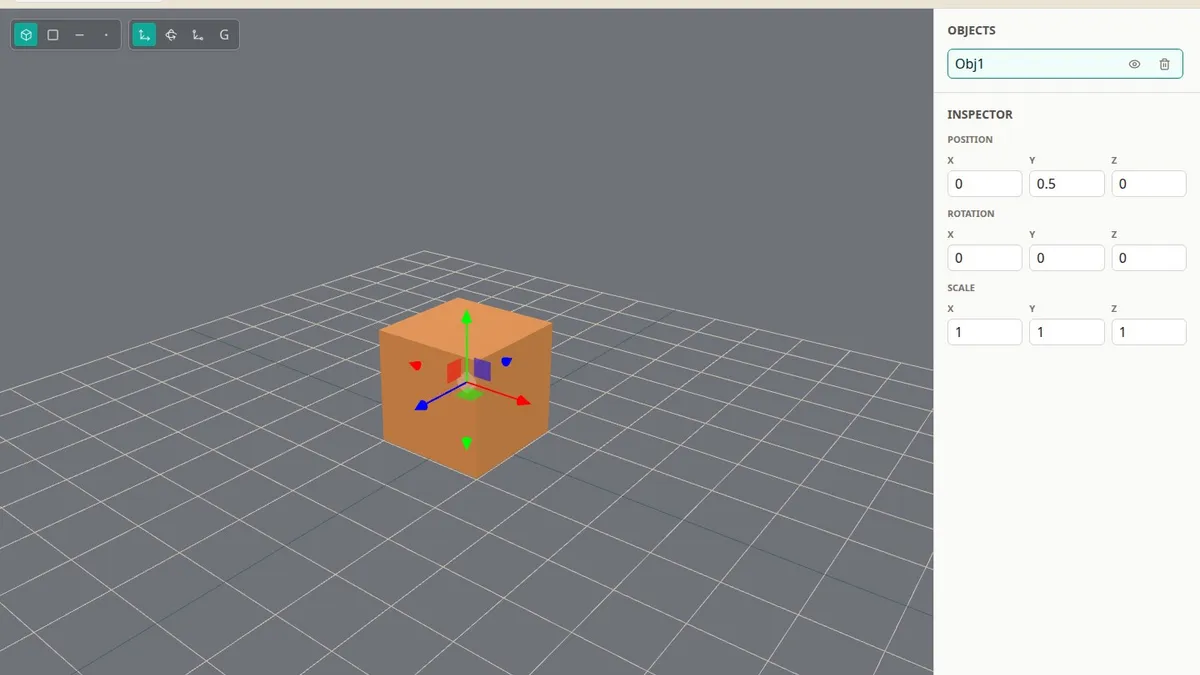
Easy Asset Maker is a small 3D modeling and painting app for low-poly, stylized game assets. You open it and you are already in the editor. Dark viewport, a grid, an orange cube, a move gizmo. No landing page. No project wizard.
I did not want another Blender. I wanted a tool that gets you from a primitive to a finished prop without making you learn a production suite first.
You can try the current build here.
The workflow
It is organised around two modes.
Model. Drop in a cube, cylinder, cone, or one of the other primitives. Switch between object, face, edge, and vertex. Move, rotate, scale. Extrude a face when you need more shape. Split an edge, flip a normal, delete the bits you do not want.
Paint. Brush, flood fill, face fill, plus a colour picker. You paint on the model. You do not open a UV editor and start shuffling islands around.
When you are done, save the project or export OBJ, GLB, or GLTF and take it into a game engine.
That is the loop. Make the shape. Paint it. Get it out.
Built for small assets
This is for the stuff you actually need in a stylized or retro game. Props, crates, rocks, furniture, simple weapons, bits of vegetation. The kind of object you should be able to knock out in an evening, not a week.
You get an object list, an inspector for position, rotation, and scale, undo and redo, and a view menu for the grid, floor, and shadows. Enough to stay organised. Not enough to get lost.
What I left out
No modifier stack. No node editor. No PBR graph. No bones, no animation, no lighting setup, no scene you can turn into a whole level.
It is not for realistic or high-poly work. It is not a place to build environments. It is a tool for making one asset, painting it, and exporting it.
If you need the rest, use Blender. Easy Asset Maker is for the days you do not.
How it is built
Vue, Tailwind, and Three.js, wrapped in Tauri so it can also be a desktop app. The web build is the same editor. Still early, still small, and that is the point. I can keep the whole thing in my head.
Most of the time I do not need a hundred panels. I need a cube I can push around, paint, and export. This is that tool.